

Google’s Performance Max Campaigns have a tendency to cannibalise both organic and paid brand search terms. This can cause you to lose control of costs and even unnecessarily overpay when your brand appears organically.
Google has recognised that advertisers weren’t too happy about this so have now enabled a way for us to exclude our brand from PMAX campaigns.
Luckily it’s super easy to do, here’s how.
Open Google ads and find the PMAX campaign you want to exclude brand from.
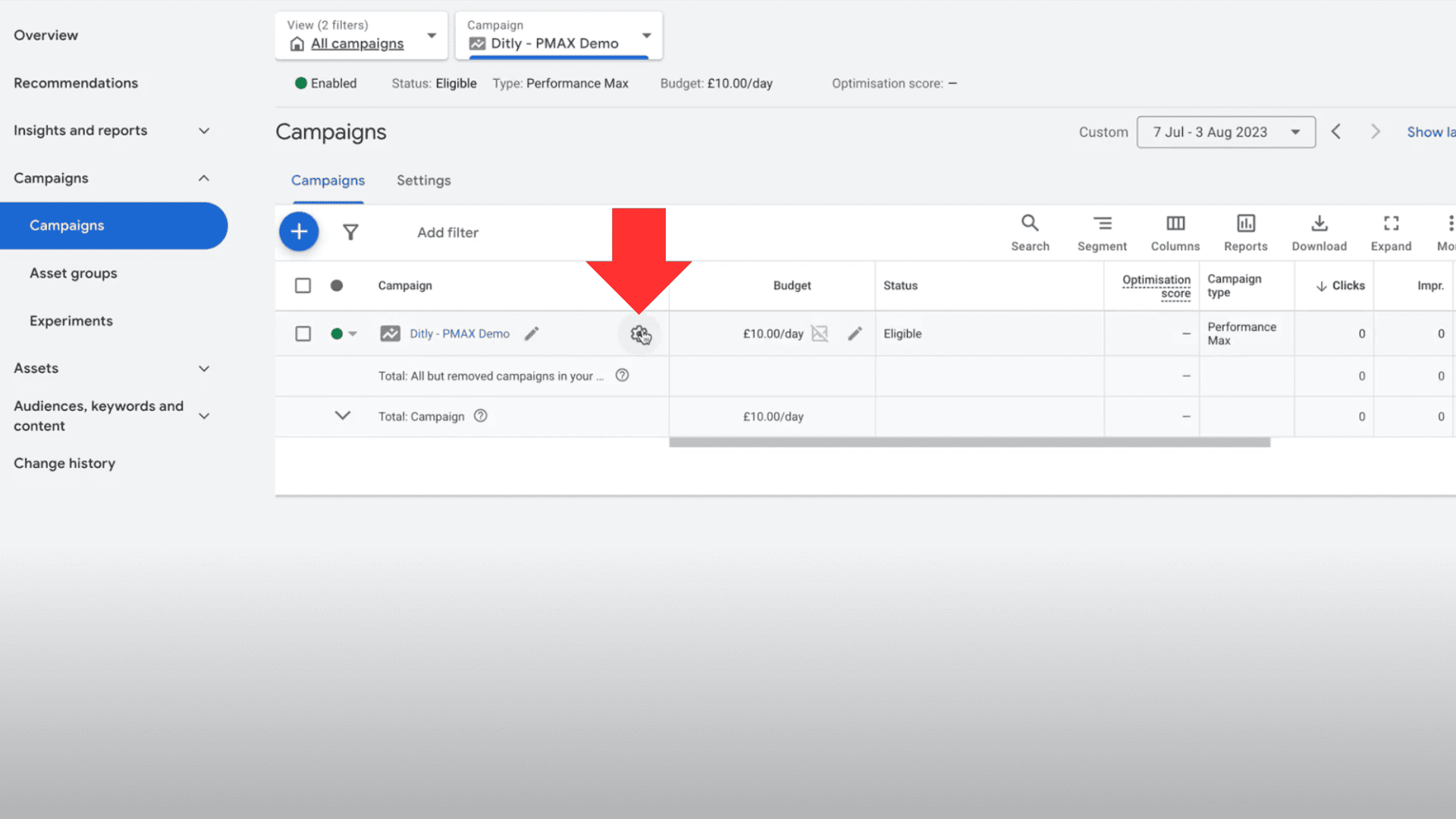
Next, click the settings cog on the campaign then scroll down and click “Additional Settings”, Expand “Brand Exclusions”.
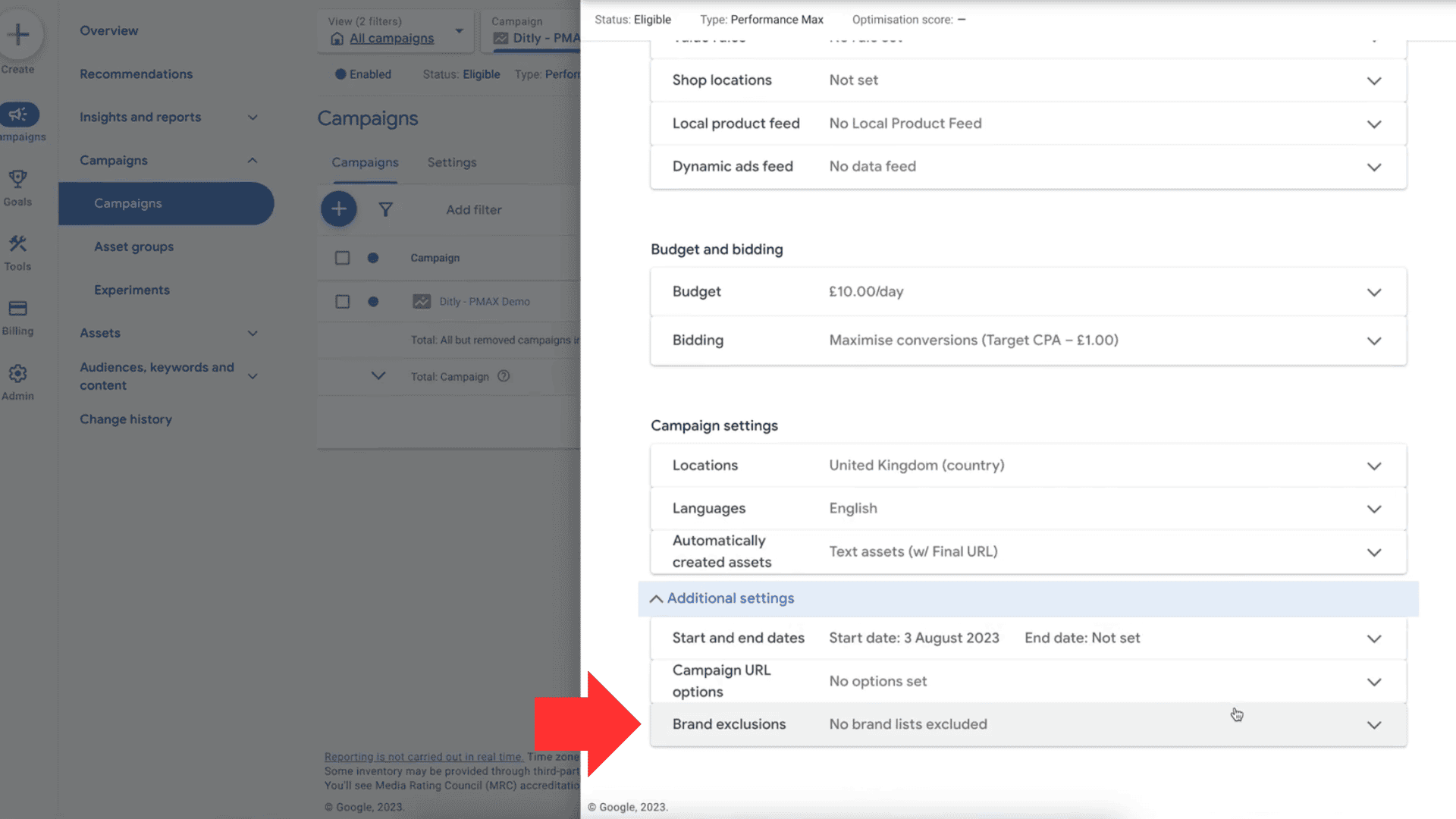
Click into the search box and select “New brand list”, name it accordingly then find your brand in the brand search box.
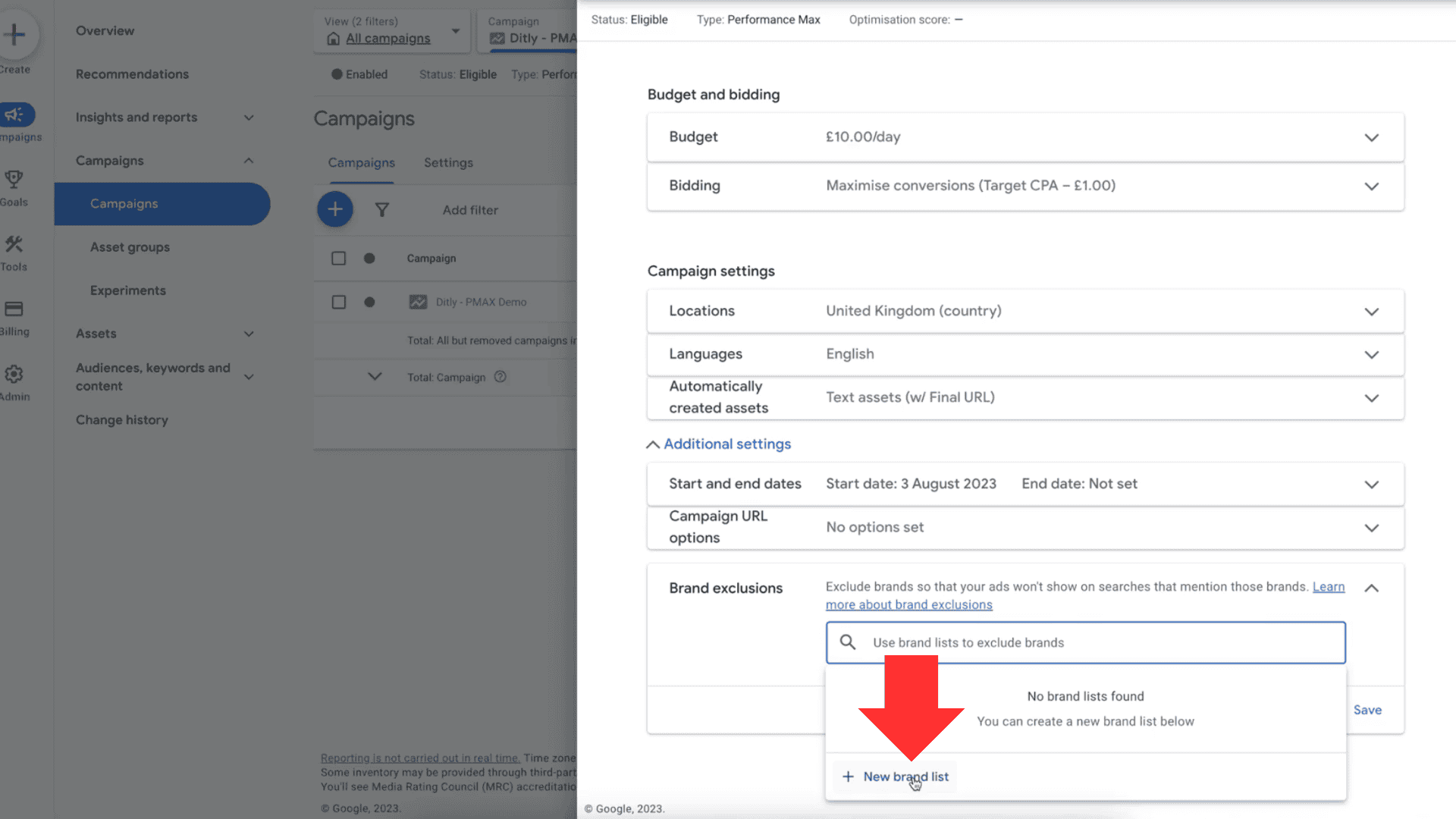
If it doesn’t exist then you can request Google to include it below.
You can also use this tool as a way to hack out some other exclusions such as competitors or similar named brands which you don’t want PMAX to deliver on.
With that said, it’s important to note that this tool is still very basic so it will only exclude the correctly spelt brand search terms, any misspelt words or unusual phrases could still make their way through. In this case, you’ll want to contact Google support to add an exclusion list to your PMAX campaigns for you.
Alternatively, just reach out to us and we’ll always be happy to help!